Buyer Review Check
What reviews keep mentioning
To read, paste a review page link or a business name above.
- Read automatically: pages that publish their own reviews (IndiaMART, some Justdial and Trustpilot pages).
- Opened for you: Google.
- Paste only: Instagram, Facebook, WhatsApp.
Trustpilot usually blocks automatic reading. If it is blocked, open the page and paste the visible reviews below.
Real-business page links, separate from fictional samples. Reading depends on what the page permits; these are not endorsements.
Public-page reading needs no sign-in. Open Google externally and paste visible words. Paid Google searches and private records remain protected.
Google, Trustpilot, IndiaMART, Justdial: only reviews the page itself publishes. We never go around a login, CAPTCHA or block.
Copy the reviews or comments you can see on Google, Trustpilot, IndiaMART, Justdial or Facebook/Instagram and paste them here. They are split on this device and not sent anywhere.
Read words from a screenshot or PDF
PDF, Word (.docx), Excel (.xlsx, .xlsm), CSV, TXT, JPG, PNG or WebP, up to 5 files. Read in this browser tab; files are not uploaded. "Take photo" photographs a paper with your camera; it can't capture another app's screen.
Picture readings can be wrong. Keep file and page labels, check and edit the words before adding. These are supplied transcriptions; the original source is not independently verified.
Google links open Google for you; paste the reviews you can see here.
Stuck? Step-by-step help with pictures
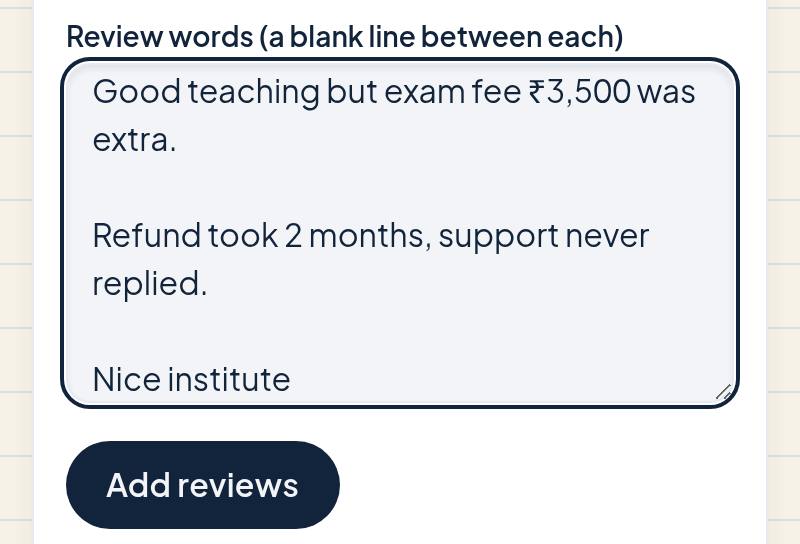
Option 1 — Copy and paste reviews (works everywhere)
Best when a site blocks reading, or you are on Google Maps.
- Open the business on Google Maps, Justdial, IndiaMART or Trustpilot.
- Tap Reviews, then sort by Lowest or Newest.
- Press and hold on a review, choose Select all or drag the handles, then tap Copy.
- Come back here and paste into “Review words”. Leave one blank line between reviews.
- Tap Add reviews.
Option 2 — Paste a link
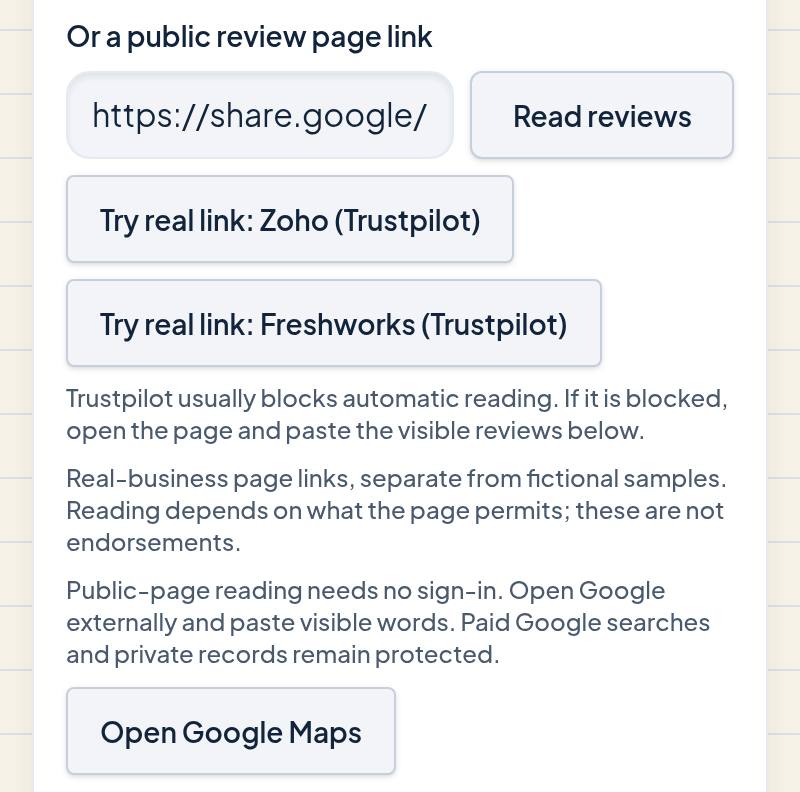
Trustpilot, IndiaMART and Justdial pages may be read directly. Google links open Google for you.
- Copy the page link (on Google Maps: Share → Copy link).
- Paste it in “Or a public review page link” and tap Read reviews.
- If you see “could not read” or an Open Google Maps button, open it, then use Option 1 or Option 3.
Option 3 — Add a screenshot or PDF
When copying text is hard on your phone.
- Take a screenshot of the reviews on your phone (usually Power + Volume down).
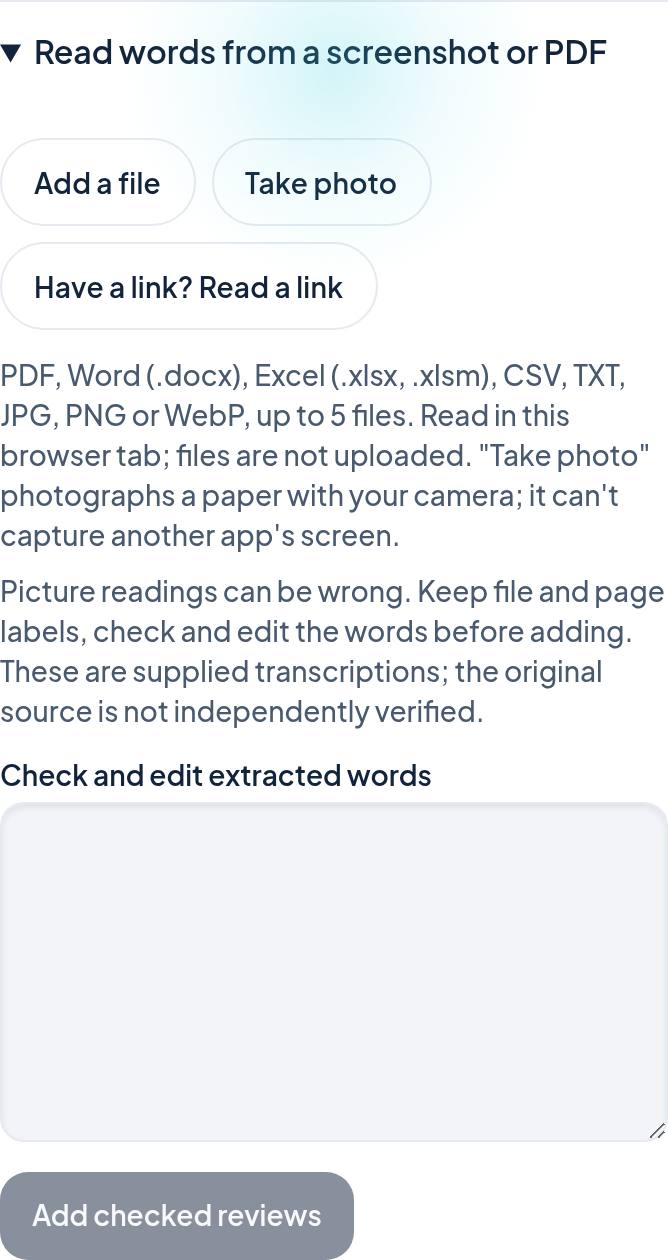
- Tap “Read words from a screenshot or PDF”, then Add a file and pick the screenshot.
- Allow reading when asked. It happens on this phone; the picture is not uploaded.
- Check and fix the words — picture reading can make mistakes — then tap Add checked reviews.
What you will see
Words reviewers repeat, the exact review line behind each one, and questions to ask before paying. It is not a verdict on the seller.
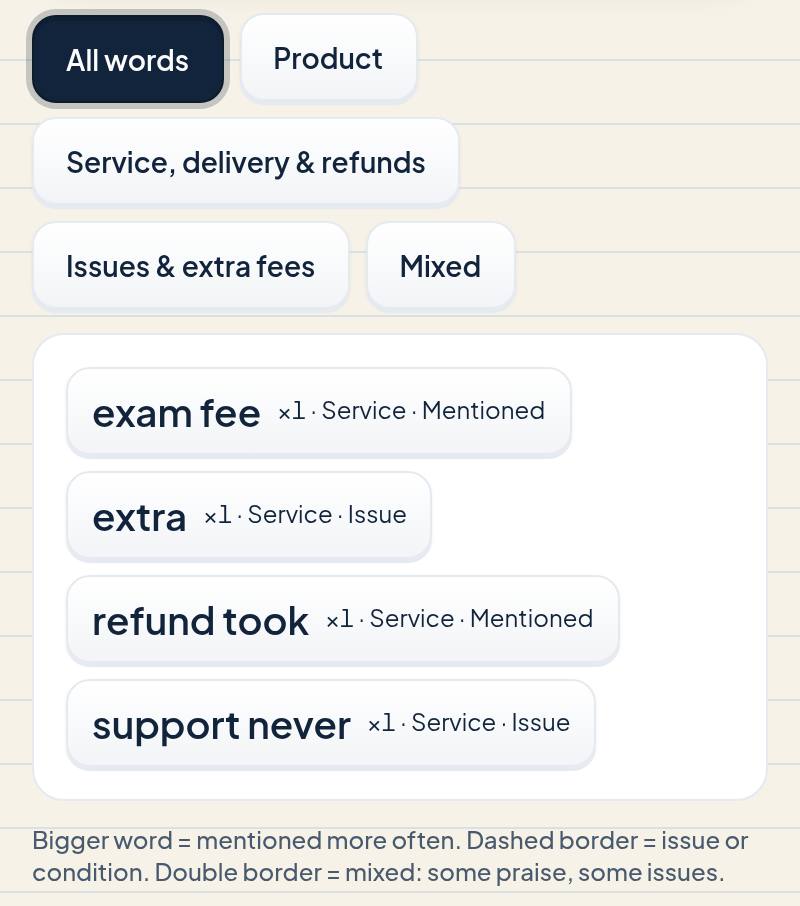
Pasted reviews stay on this page. No sign-in needed. Closing the page clears them; switching views clears that view’s words.
Check a seller’s reviews in 3 taps → see what you noticed + 5 call-up questions
Even when review sites block automatic reading, tap what you saw yourself below. This is not a verdict on the seller.
These are only counts of what you tapped — not a score or a verdict on the seller.
- 1. "Can you confirm in writing whether there are any exam, certificate or material fees beyond the headline price?"
- 2. "If reviews mention support delays after payment, who is my point of contact and how fast will they reply?"
- 3. "What is the exact written refund window and cancellation process if it does not match the demo class?"
- 4. "Will I receive an itemised tax invoice with your registered business name and GSTIN?"
- 5. "Can I see 2 real customer examples or output samples from the last 90 days?"
Check outside sources yourself
TulaSwan does not read these sites or AI tools and sends nothing to them. Links open in a new tab. What you find there is outside information — not checked by TulaSwan.
A neutral question to paste into ChatGPT, Gemini or Claude:
I am thinking of paying "this seller" (Course / Academy). Ignoring ads, what complaints, fees or refund conditions are mentioned in public reviews, discussion threads and terms pages? Give the source for each point and say "not known" where you cannot find one. What 5 questions should I ask in writing before paying?
AI answers can be wrong; open the sources they name.
Fictional: a coaching centre had a 4.8★ average from one-line reviews, but its 2★ reviews showed "placement assistance" only meant a job-board link, and a ₹3,500 exam fee was extra.
Sort any Google Maps, Justdial, Amazon or Trustpilot page by "Lowest" and "Newest", tap what you see above, and keep the 5 questions open during the call.
Don’t decide on the star average alone. Detailed 2★–4★ reviews usually show the real strengths and problems.